
 Deutsch
  Español
  Français
  Italiano
  Português
  Svenska
  Suomi
Suomi  Dansk
Dansk  Norsk bokmål
  Nederlands
  العربية
  עברית
עברית  Polski
  Türkçe
  Русский
  Uzbek
Uzbek  Azərbaycan
  Tiếng Việt
  ไทย
ไทย  한국어
한국어  日本語
日本語  简体中文
简体中文 
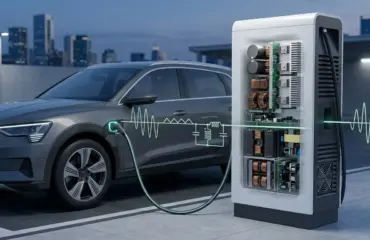
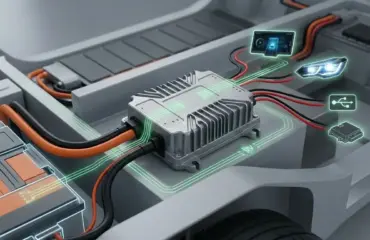
In the world of electric vehicle (EV) charging and power electronics, the bridge rectifier is a silent workhorse. Whether it’s nested within a smart AC wallbox or part of a high-power DC fast charging module, this component is responsible for the critical task of converting Alternating Current (AC) from the grid into the Direct Current (DC) required by electronic controllers and battery systems.
For engineers, procurement specialists, and technical installers, correctly identifying the terminals on a 4-pin bridge rectifier is non-negotiable. A single wiring error can lead to component failure, circuit damage, or costly downtime in charging infrastructure.
At PandaExo, we leverage our deep heritage in bridge rectifier manufacturing to ensure every power module we produce meets the highest standards of precision. In this guide, we’ll break down the three primary methods for identifying Positive (+), Negative (-), and AC (~) terminals.
The Anatomy of a 4-Pin Bridge Rectifier
A bridge rectifier consists of four diodes arranged in a bridge configuration. To interface with a PCB or a power assembly, these are packaged into a single housing with four distinct pins. Understanding these pins is the first step in ensuring stable power conversion.
1. Physical Marking and Case Design
The most straightforward way to identify terminals is through the markings etched or printed directly onto the component’s casing. Manufacturers like PandaExo use industry-standard symbols to ensure clarity:
- AC Terminals (~): Usually two pins, often located in the center or diagonally opposite each other. These are where the input transformer or grid power connects.
- Positive Terminal (+): The DC output pin that delivers the rectified voltage.
- Negative Terminal (-): The DC return pin.
Pro Tip: Look for the notched corner. On many “KBP” or “GBU” style inline rectifiers, one corner of the rectangular housing is clipped or chamfered. This clipped corner almost always indicates the Positive (+) terminal.
Terminal Identification Methods
If the markings have faded or you are working with an unmarked component, you can use these three reliable methods to verify the pinout.
Method A: The Visual Layout (Standard Packages)
Most 4-pin rectifiers follow a standard layout based on their form factor.
| Package Type | Pin 1 | Pin 2 | Pin 3 | Pin 4 |
|---|---|---|---|---|
| Single-In-Line (SIL) | Positive (+) | AC (~) | AC (~) | Negative (-) |
| Square/Bolt-on | AC (~) | Positive (+) | AC (~) | Negative (-) |
Note: Always refer to the specific manufacturer’s datasheet, as some high-power industrial modules may vary.
Method B: The Multimeter Diode Test
When in doubt, the most scientifically accurate method is using a digital multimeter (DMM) set to Diode Test Mode. Since a bridge rectifier is essentially four diodes, you can map the internal flow of current.
- Identify the DC Terminals: Place the Red (+) lead on a pin and the Black (-) lead on another. If you see a voltage drop (typically 0.5V to 0.7V), current is flowing through a diode.
- Find the Common Anode/Cathode: The Negative (-) terminal is the point where the two internal diode anodes meet. The Positive (+) terminal is where the two internal diode cathodes meet.
- The Continuity Rule: In a functional bridge, you should never get a reading between the two AC pins or between the + and – pins in both directions.
Method C: Orientation by Lead Length
In some through-hole components, the leads are manufactured at different lengths to assist with automated assembly. Often, the longest lead is designated as the Positive (+) terminal, though this is less common in heavy-duty industrial modules used in EV charging hardware.
Why Quality Rectification Matters in EV Infrastructure
In the context of EV charging, the bridge rectifier isn’t just a component; it’s a gateway. Low-quality rectifiers with high forward voltage drops result in wasted energy and excessive heat.
At PandaExo’s 28,000-square-meter manufacturing base, we integrate high-performance semiconductors into our full range of chargers. By controlling the quality of the power conversion components, we ensure that our DC Fast Chargers provide stable, ripple-free current to vehicle batteries, extending their lifespan and improving charging efficiency.
Summary Checklist for Identification
Check the Casing: Look for +, -, and ~ symbols.
Find the Notch: The chamfered corner usually marks the Positive (+) lead.
Verify with DMM: Use diode mode to confirm internal orientation.
Consult the Datasheet: Always match the Part Number to the manufacturer’s technical specs.